

My pastor’s answer is simple when someone asks how to support his ministry: show up. Looking out from the pulpit and seeing you faithfully present in worship with a Bible open, week after week, is an enormous encouragement to your minister. But what if your Bible is on your phone? Can you be truly present when a glowing portal to an infinite digital world sits open on your lap?
The problem is not technology itself. A book is a form of technology. Owning a personal Bible that you can carry into public worship and read in your own language is a relative novelty in church history, and we rightly praise God for the advancements that have made it so easy to access his inspired, inerrant Word.
So why does pulling out our smartphone in church give us pause? The challenge centers around push notifications and the infinite potential distractions that our phones present.
At the same time, the digital format offers real advantages when it comes to referencing Scripture in public worship. The Velora Bible app is designed to maximize those advantages and reduce distractions by automatically pulling up verses as they are referenced in live preaching, so you can stay focused while following along. But what about the other apps competing for your attention?
Keeping your mind and heart present during worship requires intention, especially when you are using a Bible app on the same phone you use for a hundred other things throughout the week. Here are a few practical tips I’ve found helpful for improving focus on Sundays.
Apple's Focus modes let you create a profile that silences everything except the people and apps you allow, on a schedule.
Open Settings → Focus, tap + in the upper right, and choose Custom. Name it something like Sabbath or Lord's Day. Then configure:
Schedule. I’ve set mine to turn on automatically every Sunday. You may even want your Sabbath mode to begin Saturday nights to help you prepare and be well-rested for the Lord’s Day.
People allowed. A few family members and close church friends who might genuinely need to reach you on a Sunday.
Apps allowed. Allow only the apps you might need on Sundays, such as Phone, Messages (from allowed people), Maps, and Velora. Silence email, social, and Slack.
Lock screen. Use a dedicated Sabbath lock screen with a muted wallpaper and only the time visible—no calendar preview widgets or anything non-essential.
Five minutes of setup will earn you back hours of attention and rest every Sunday.
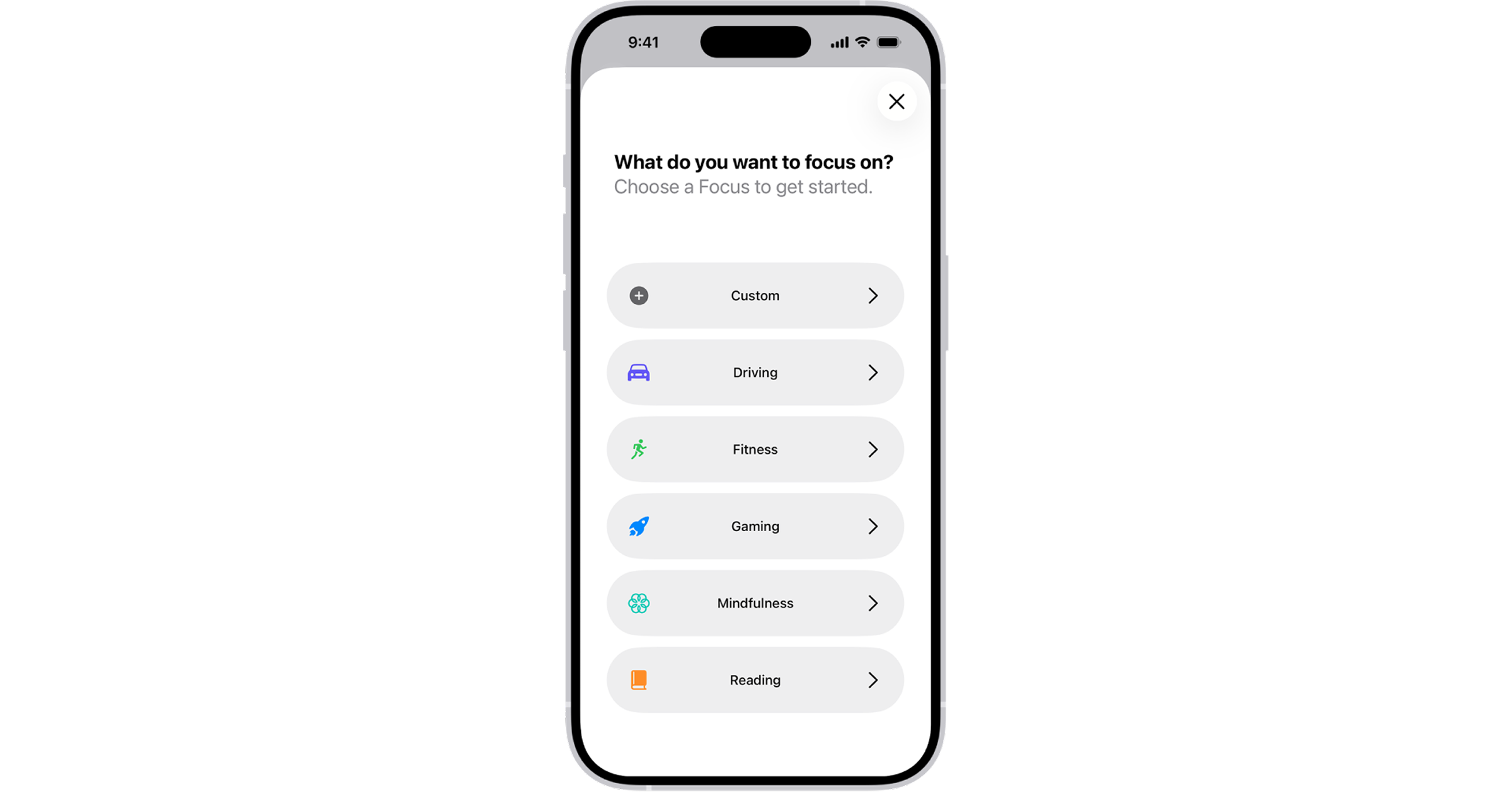
Image source: Apple
Android offers two features worth combining.
Focus mode (in Digital Wellbeing) pauses distracting apps entirely. Open Settings → Digital Wellbeing & Parental Controls → Focus mode. Select the apps to pause—social media, news, email, shopping—and set a Sunday schedule. The paused apps will appear grayed out and won't send notifications.
Modes (on recent versions of Android, formerly an enhanced Do Not Disturb) controls who and what can break through during specific times. Go to Settings → Notifications → Modes and create one called Sabbath. Choose allowed contacts and apps, then schedule it from Saturday evening to Monday morning.
If you're on an older Android, the Do Not Disturb scheduler under Settings → Sound & vibration → Do Not Disturb accomplishes much of the same effect with less granularity.
Just as we want to silence distracting notifications while using a Bible app in church, we also want to avoid distracting others. Depending on the layout and lighting of your church’s worship center, your phone screen may fall into someone’s peripheral vision. Dark mode helps it stay discreet.
One reason we designed Velora as a dark-first interface is so it can be used in church without calling unnecessary attention to itself. While you're at it, lower your screen brightness as much as you can while still reading comfortably.
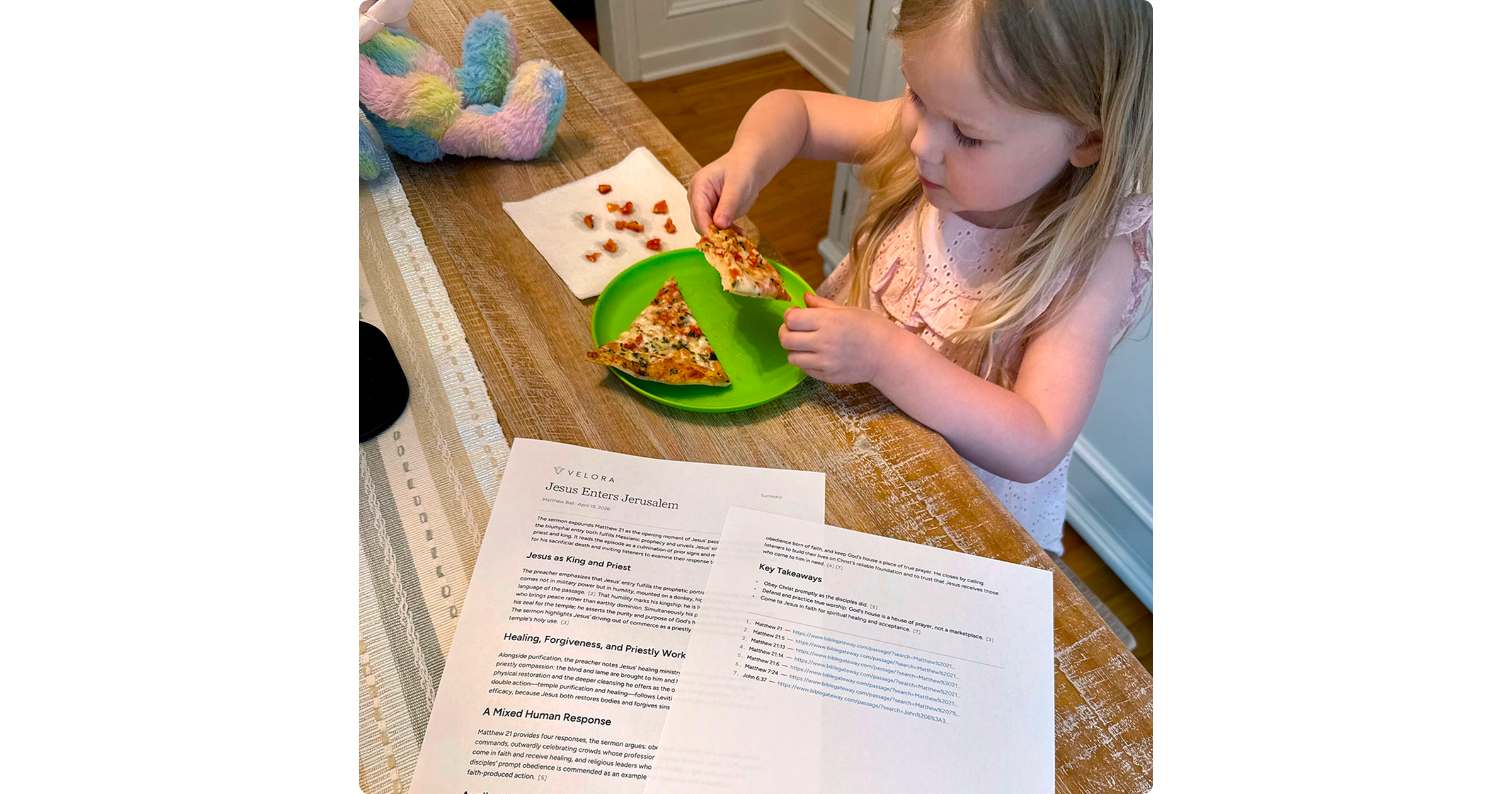
Discussing the sermon with your family or small group after worship is an important way to reinforce and apply what you heard. In our home, we like to review the sermon with our kids over lunch together as a family, but we don’t want phones out at the table.
With Velora, I simply export the sermon summary and print it out. This lets me reference key points and themes from the message as we talk around the table, without a screen between me and everyone else. Afterward, the kids go down for a nap, and I print the full sermon transcript to read over afternoon coffee. Reading it in print after hearing it preached, and revisiting the Scripture references in their biblical context, has helped me internalize the message—even parts I might have missed during the service.
Implementing these practical tips won't automatically transform our attentiveness. Technology can help or hinder us, but only God renews the will. So alongside any focus mode you set up, ask him for wisdom to use technology for his glory, and be willing to set aside anything that is not truly serving your spiritual growth. May God give us the grace to truly "show up" in public worship—and every day as we live out our callings.
Velora is a smart Bible app that helps you follow along with your pastor's preaching and engage more deeply with the Word at your local church. If that sounds like something you've been looking for, we'd love to have you join our waitlist.